Everything for your mosque, in one place.
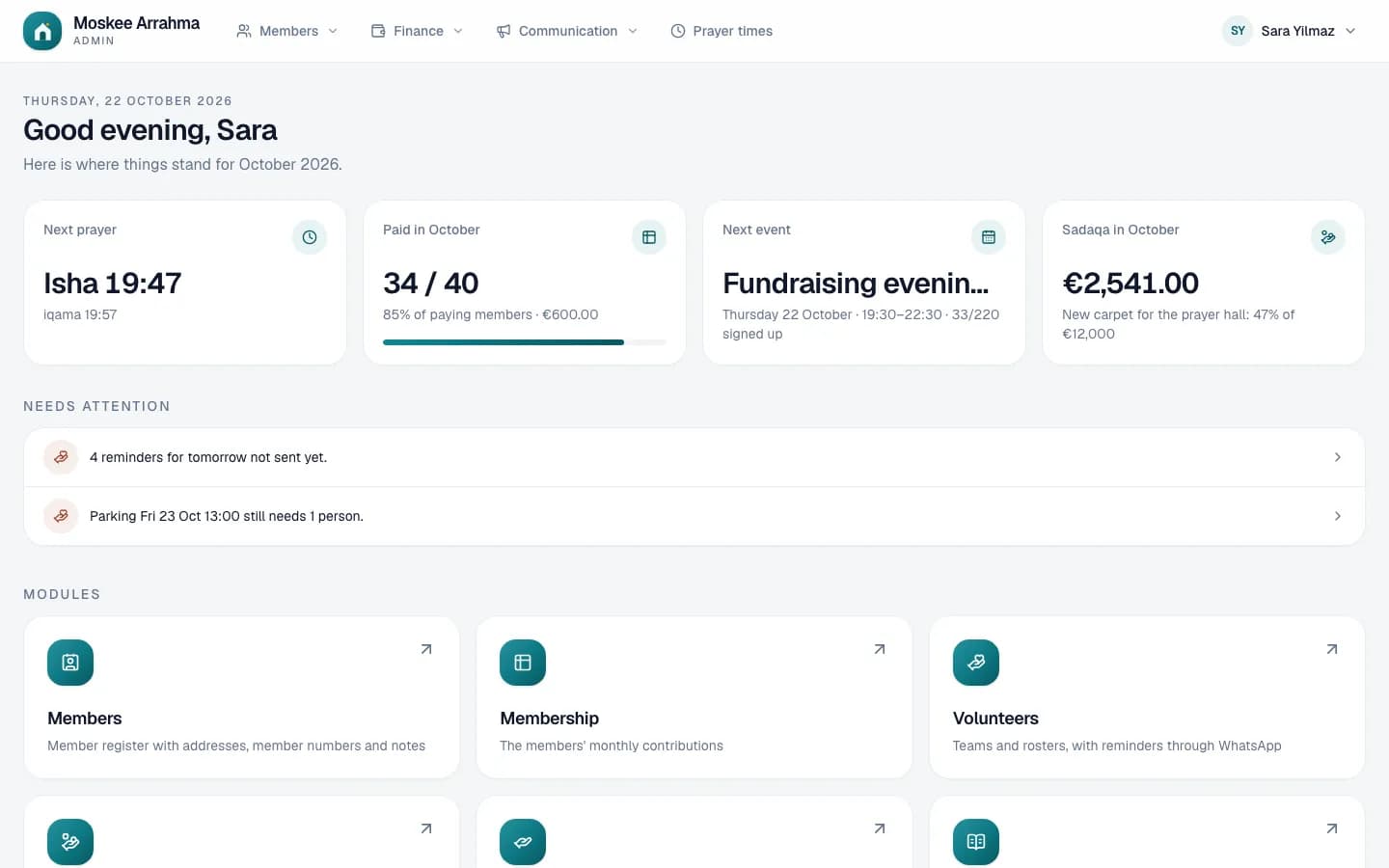
masjidii replaces the board's notebooks, loose Excel files and WhatsApp lists.
Just send an email. We will show you masjidii with the data of an example mosque.
- Works in the browser, on a computer, tablet or phone
- The admin in Dutch, French, English and Arabic
- Every board member gets their own login and their own permissions
Members and membership fees, online payments, sadaqa, the cash book, prayer times and the TVs in the mosque: in one system, with a website of your own, a kiosk at the entrance and an app for your community.
The TVs in your mosque, from your phone
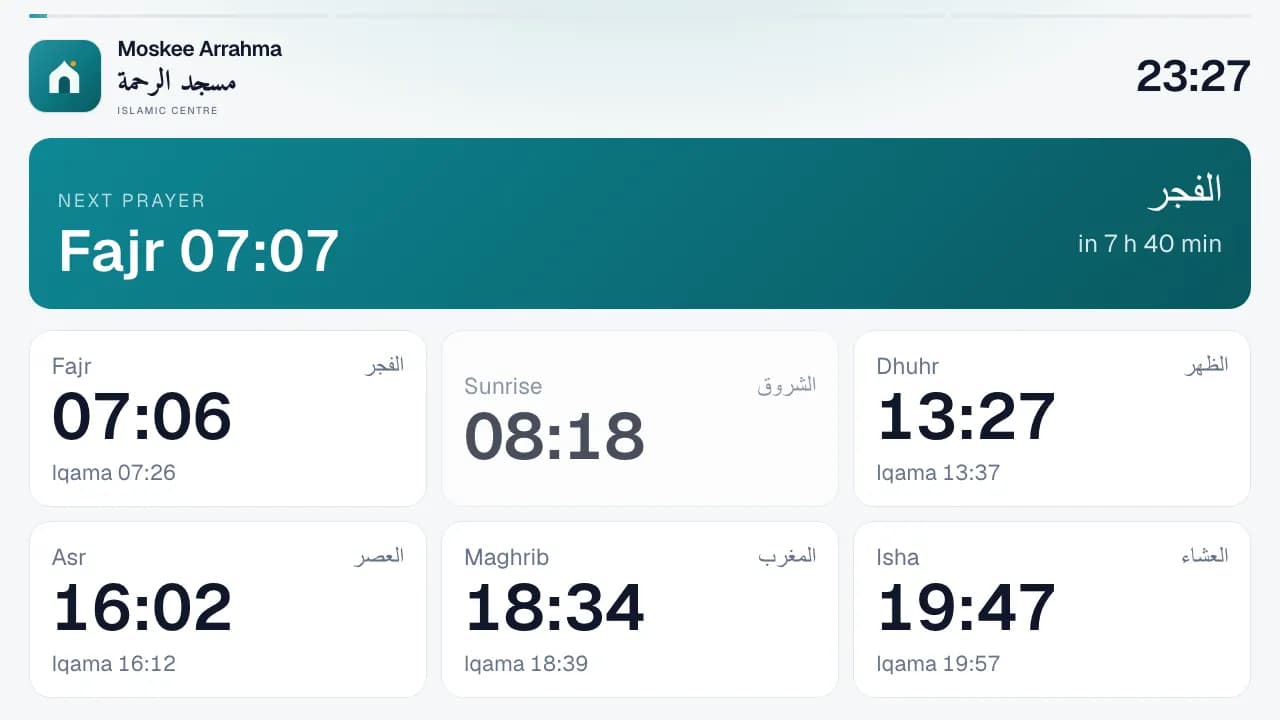
A TV with an Android TV stick shows what you choose: the prayer times with a countdown to the next prayer, the announcements, a fundraiser or how full the rooms are. What you change in the admin is on every TV within a second.
- Link with a code: open tv.masjidii.app on the TV and enter the code under Screens. No login on the TV.
- A playlist per screen with prayer times, a clock with the Hijri date, announcements, the calendar, sadaqa, images, web pages, livestreams and the membership overview.
- Schedule each item at a time or around a prayer: the livestream 30 minutes before Jumu'ah, a black screen from the iqama until 10 minutes after.
- With Show now you put a message on all screens at once. A TV can also hang in portrait, and keeps working if the internet drops for a moment.
A kiosk at the entrance
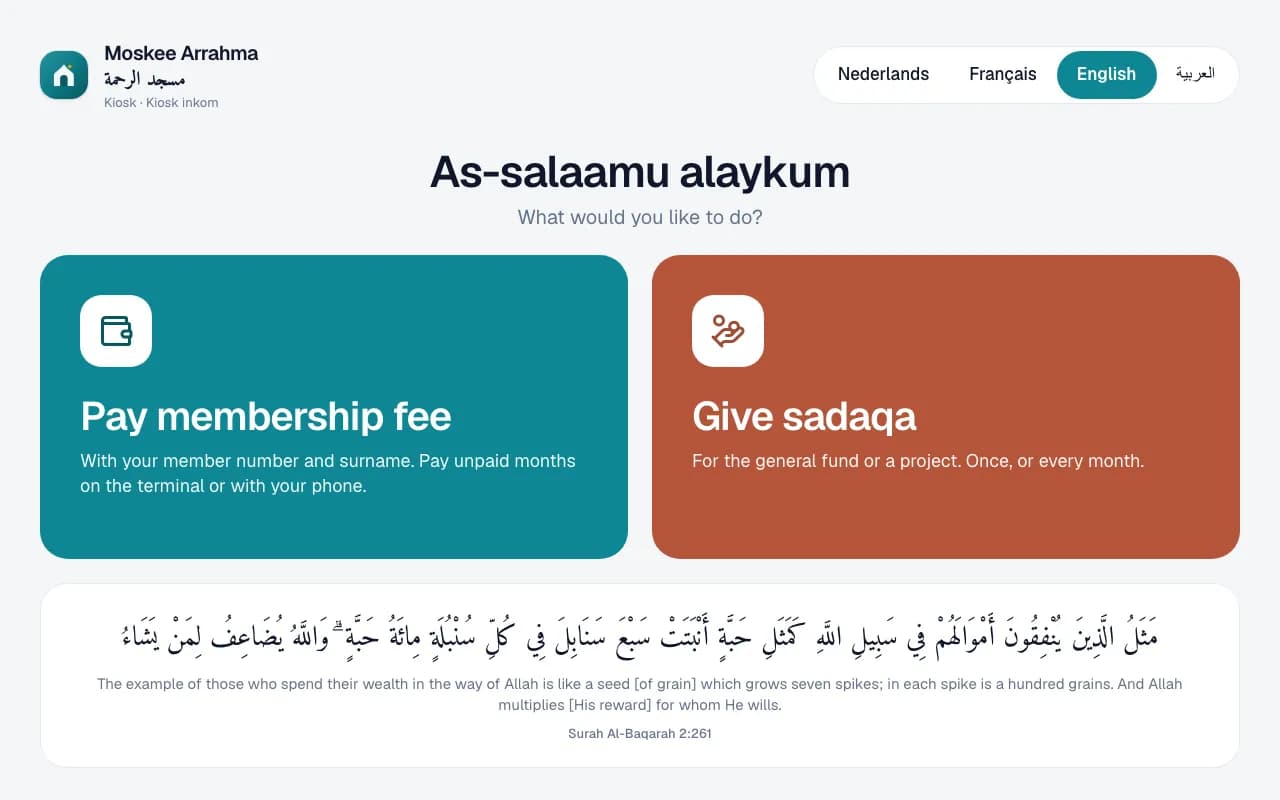
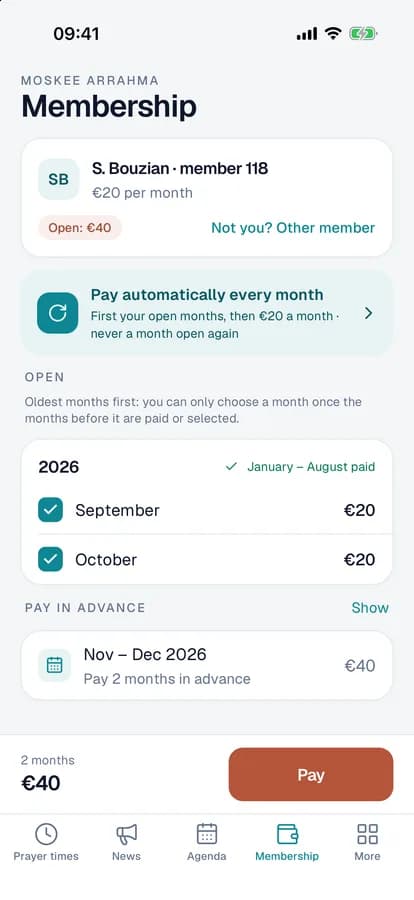
Put a tablet at the entrance of the mosque. Members look up their membership fee with their member number and name and see at once which months are still open. Visitors give sadaqa there, once or every month.
- Pay on a Bancontact terminal next to the tablet, or with a QR code on your own phone.
- The kiosk also works without Mollie: it then shows a QR code for a bank transfer with the right reference.
- Linked with a code, no login on the tablet, and an on-screen keyboard.
- Visitors pick their own language: Dutch, French, English or Arabic.
Keep the administration and the speaker in touch
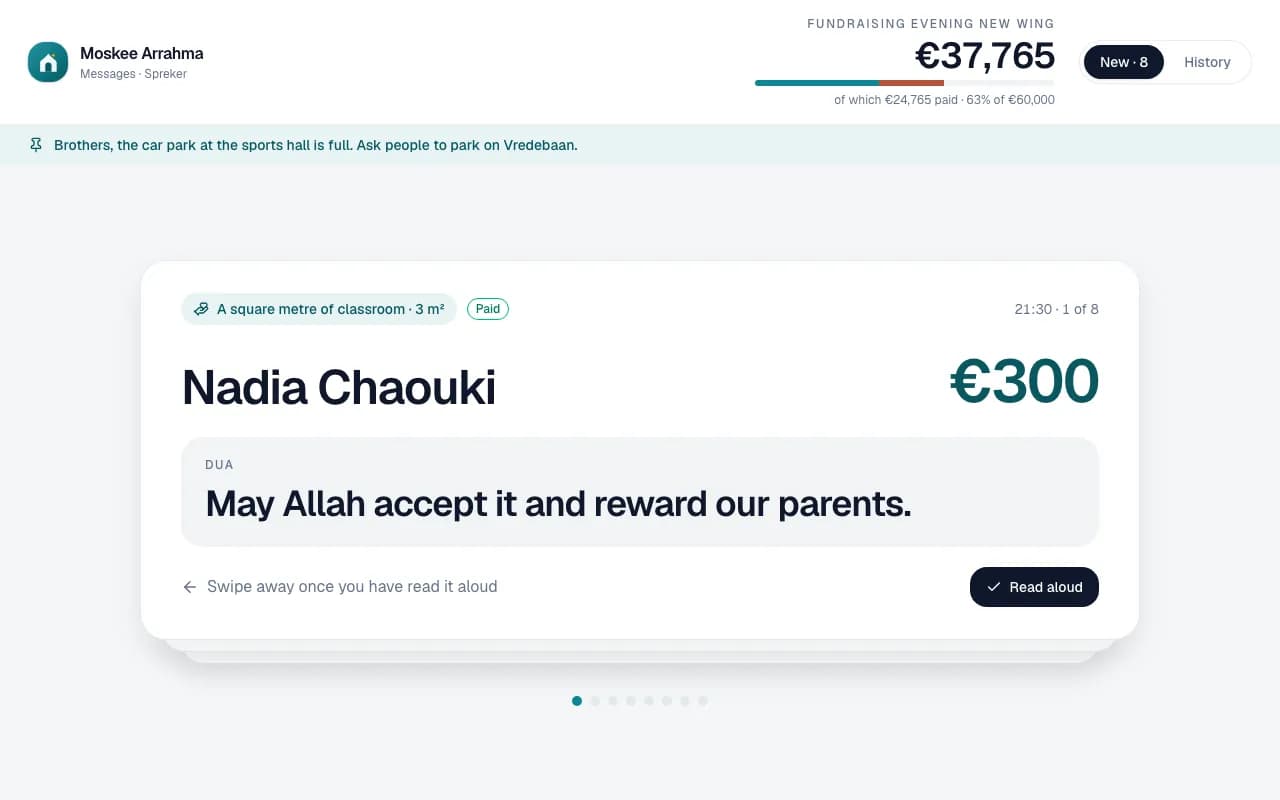
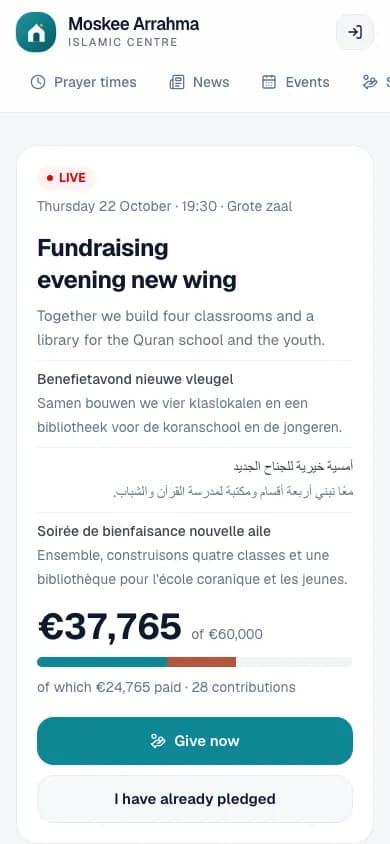
During a lecture or a fundraiser the administration sends messages to the speaker's or presenter's tablet. No more notes or hand signals from the hall: whatever needs reading out is on the screen right away.
- Messages appear live on the tablet, one card per message. Whoever reads them out swipes them away. The administration sees what has been read.
- Contributions from a fundraiser appear automatically, with the dua, and without a name if the donor asked for that.
- Pin what stays relevant, give priority to what is urgent, and show the clock or the fundraiser's total at the top.
Everyone knows where there is room
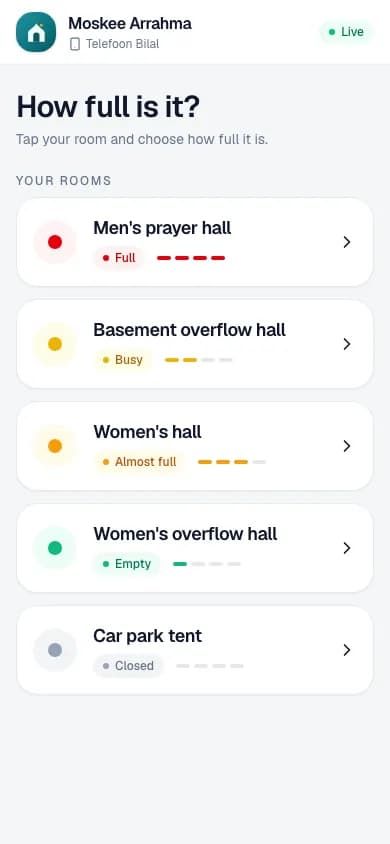
On Fridays or at Eid the halls fill up fast. Volunteers at the door set on their phones how full each room is, and the TVs in the mosque show it right away, so nobody gets sent to a full hall.
- One status per room: empty, busy, almost full, full or closed, in a single tap.
- Link a phone with a code or a QR code, without an account or a login.
- On the TVs as part of the playlist or straight away with Show now, and the admin page follows live.
The masjidii app for your community
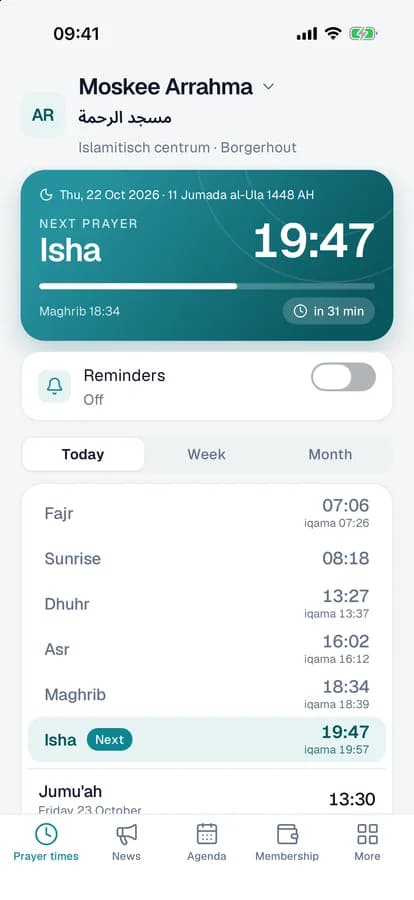
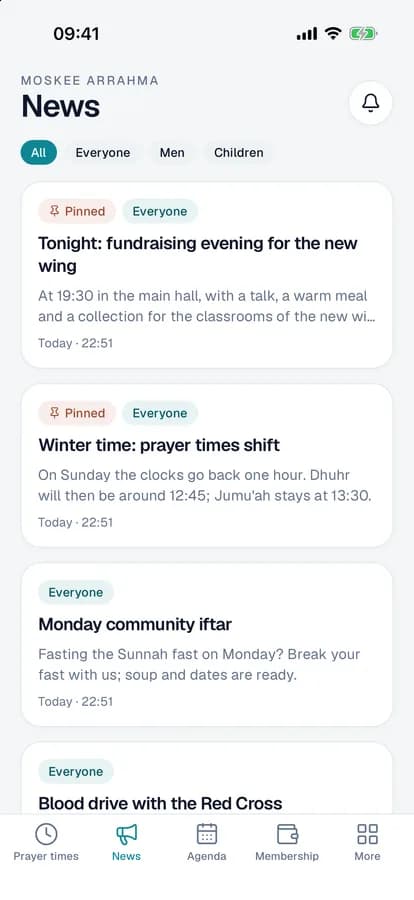
Your members follow your mosque on their phones. What the board posts in the admin is in the app at once. The app works in Dutch, Arabic, French and English.
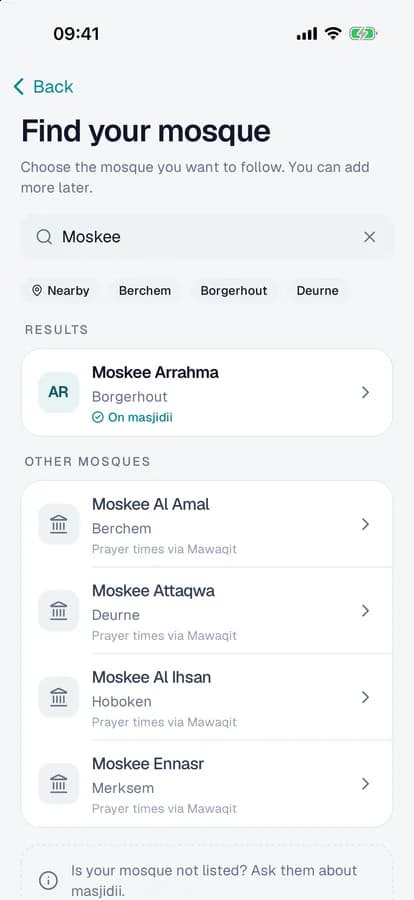
- Find your mosque by name or nearby. Every other Belgian and Dutch mosque on Mawaqit is in there too, with its prayer times.
- Prayer times with iqama, the Hijri date and reminders for every prayer.
- News, the calendar with sign-ups and the projects to give sadaqa to, with a notification when the mosque posts something new.
- Look up your membership fee with member number and name and pay at once, online with Bancontact or with a bank transfer through a QR code.
Import prayer times from Mawaqit
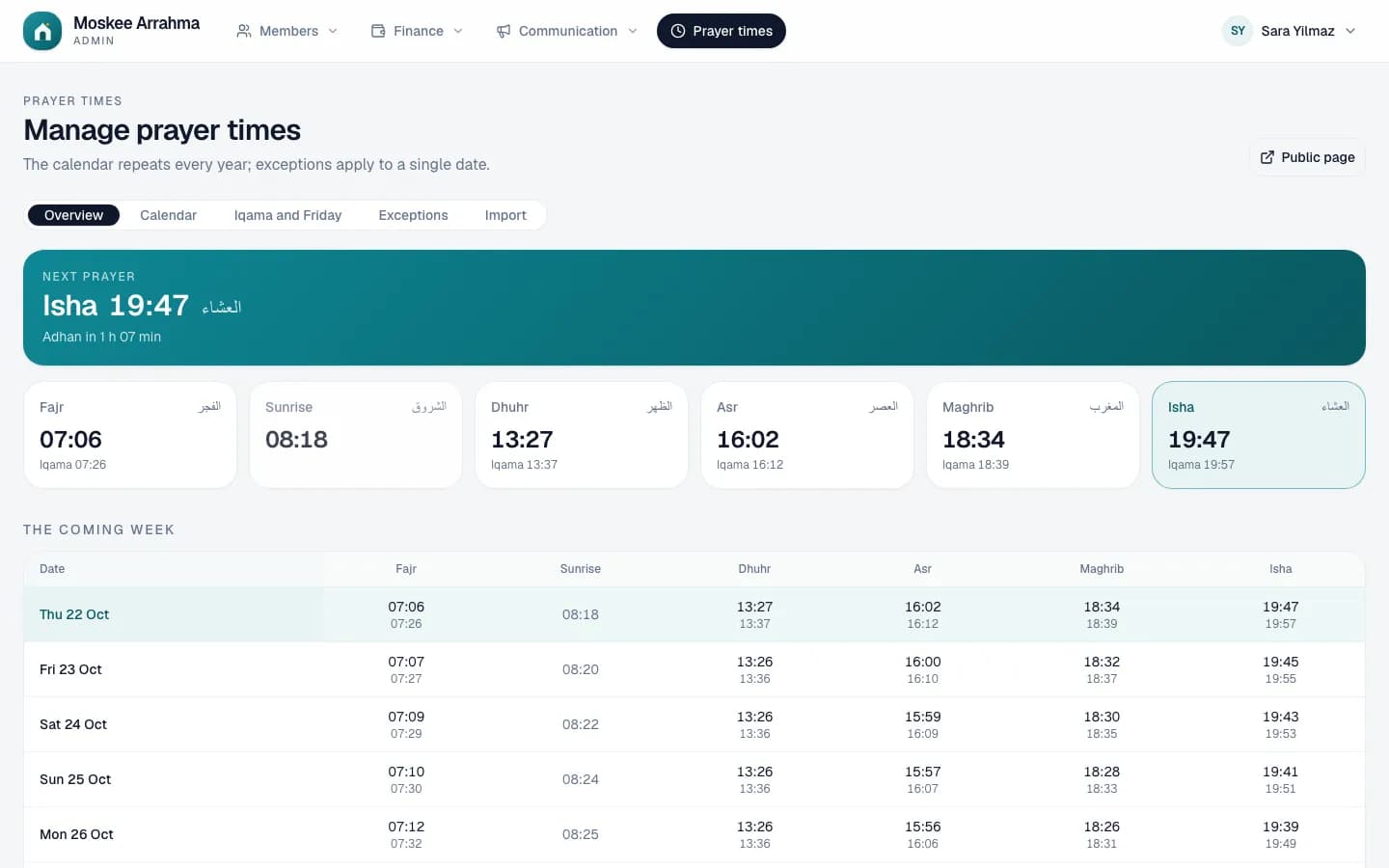
Is your mosque already on Mawaqit? Search for it and the whole calendar is imported, with iqama and Jumu'ah. That one calendar then feeds everything: the screens, the website, the kiosk and the app.
- Import from Mawaqit, read from a CSV file or have the times calculated. You see what changes first. You can always resync.
- Iqama as a fixed time or as minutes after the adhan, and exceptions for a single date, such as during Ramadan or on Eid.
- A public page with a week and month table, a block to place in your own website and an open JSON URL.
Track membership fees without a notebook
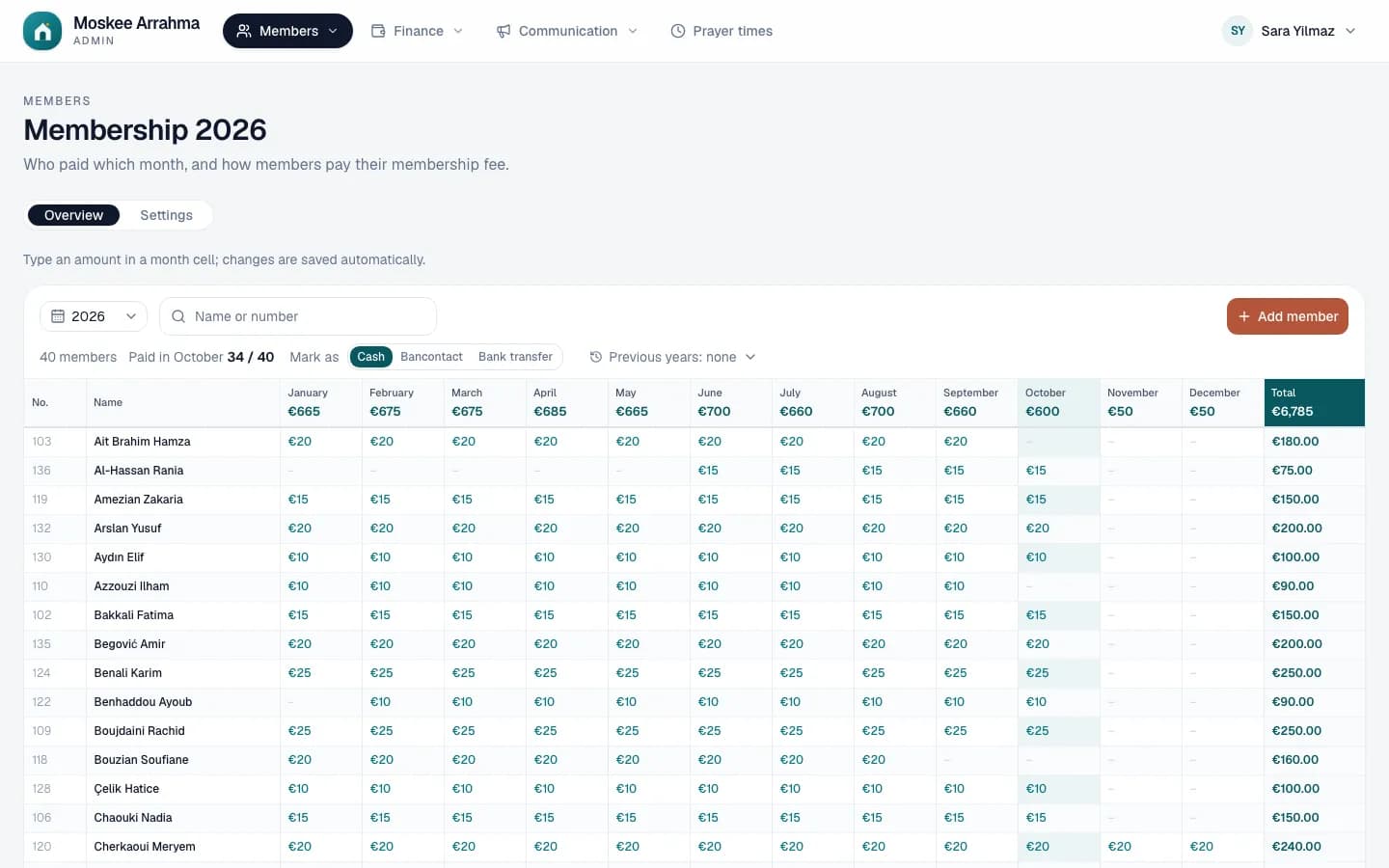
Membership looks like the sheet your treasurer already knows: members in the rows, months in the columns. But every amount is saved straight away, added up and booked in the cash book, and you always see who recorded it.
- A member register with member number, Arabic name, contact details and 'member since'. You import your existing Excel list, including the payments of previous years.
- Membership fee per month or per year. Type an amount or press Enter for the standard amount: cash, Bancontact or bank transfer.
- Members pay themselves in the app or at the kiosk. Those payments appear automatically, with where they came from.
Pay with Bancontact, also every month
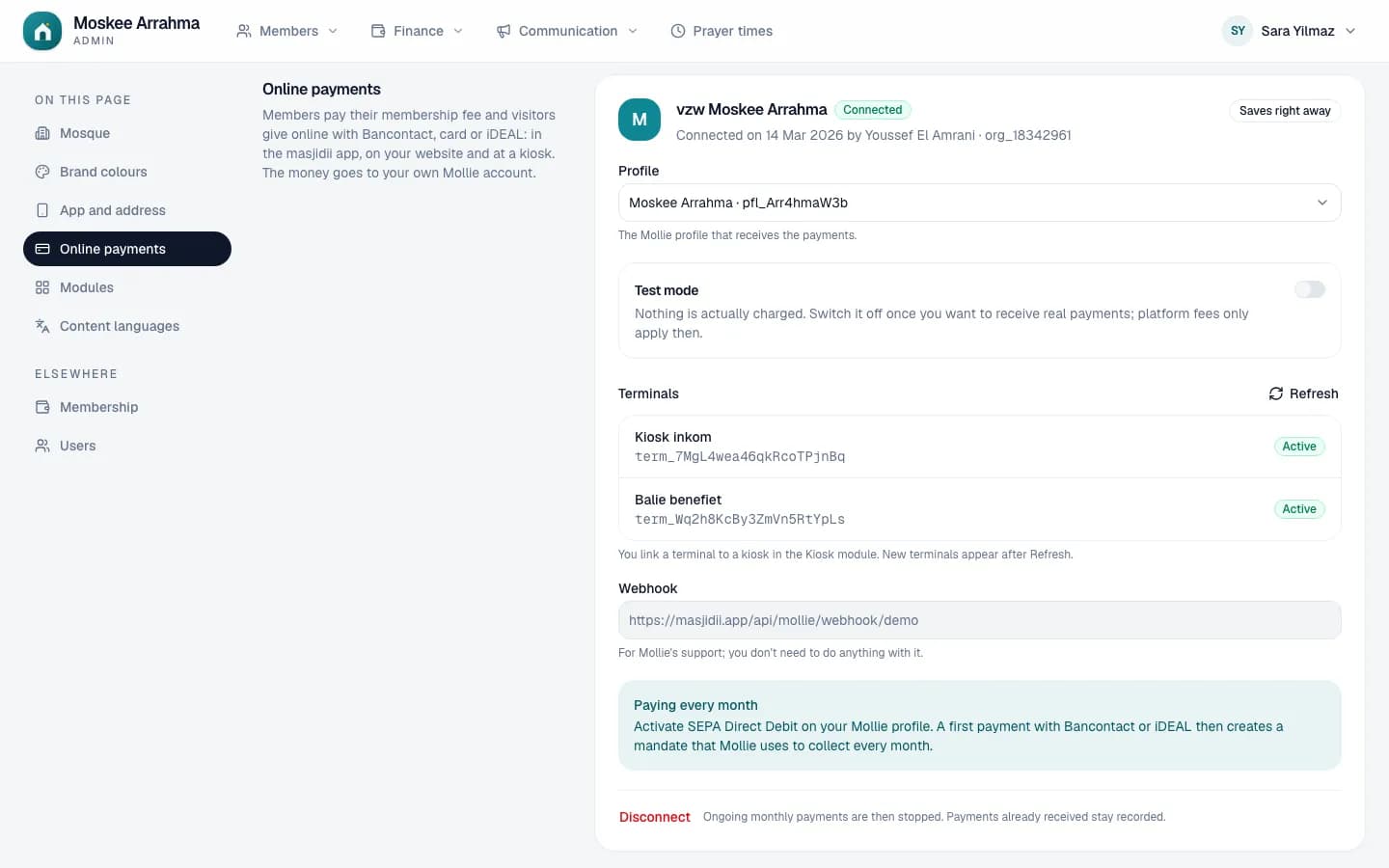
Connect your mosque's Mollie account and members pay their membership fee online, in the app, at the kiosk or through a payment link. The money goes straight to the mosque's bank account.
- You connect your own Mollie account in a few clicks. masjidii never touches the money.
- Pay every month by direct debit (SEPA): the first payment creates the mandate, after that it happens by itself.
- Every payment is recorded straight away on the member and in the cash book. The small fee per payment appears separately on your statement.
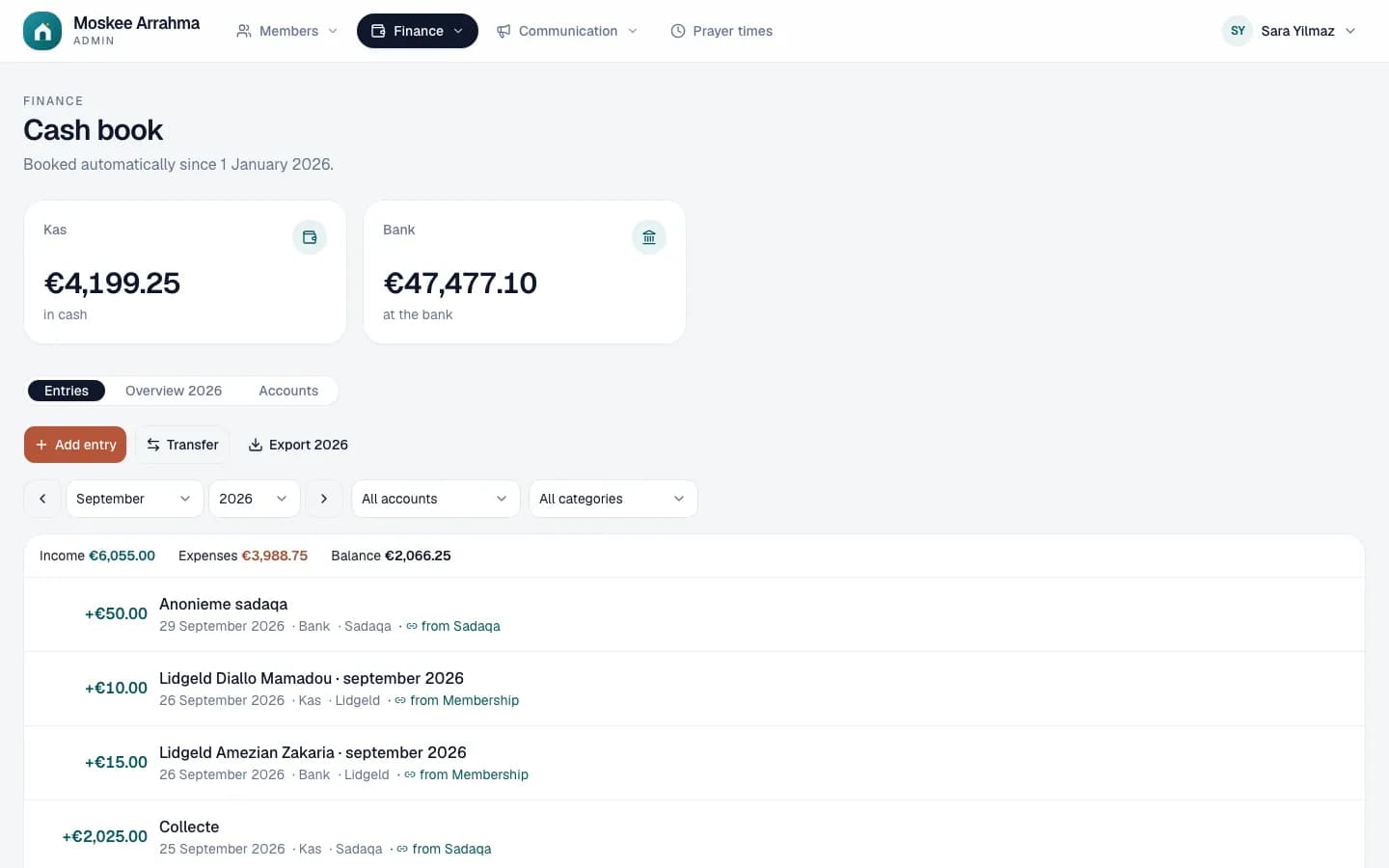
A cash book that mostly fills itself in
No more duplicate work between the membership sheet, the sadaqa and the bookkeeping. What you record in the other modules ends up in the cash or the bank automatically. You only add the expenses.
- A cash account and a bank account with an opening balance. Membership fees, sadaqa and fundraisers are booked automatically, and so are online payments and refunds.
- Expenses per category (rent, energy, maintenance…) with a photo of the receipt, and transfers between cash and bank.
- A yearly overview per category and month, and an export for the accountant.
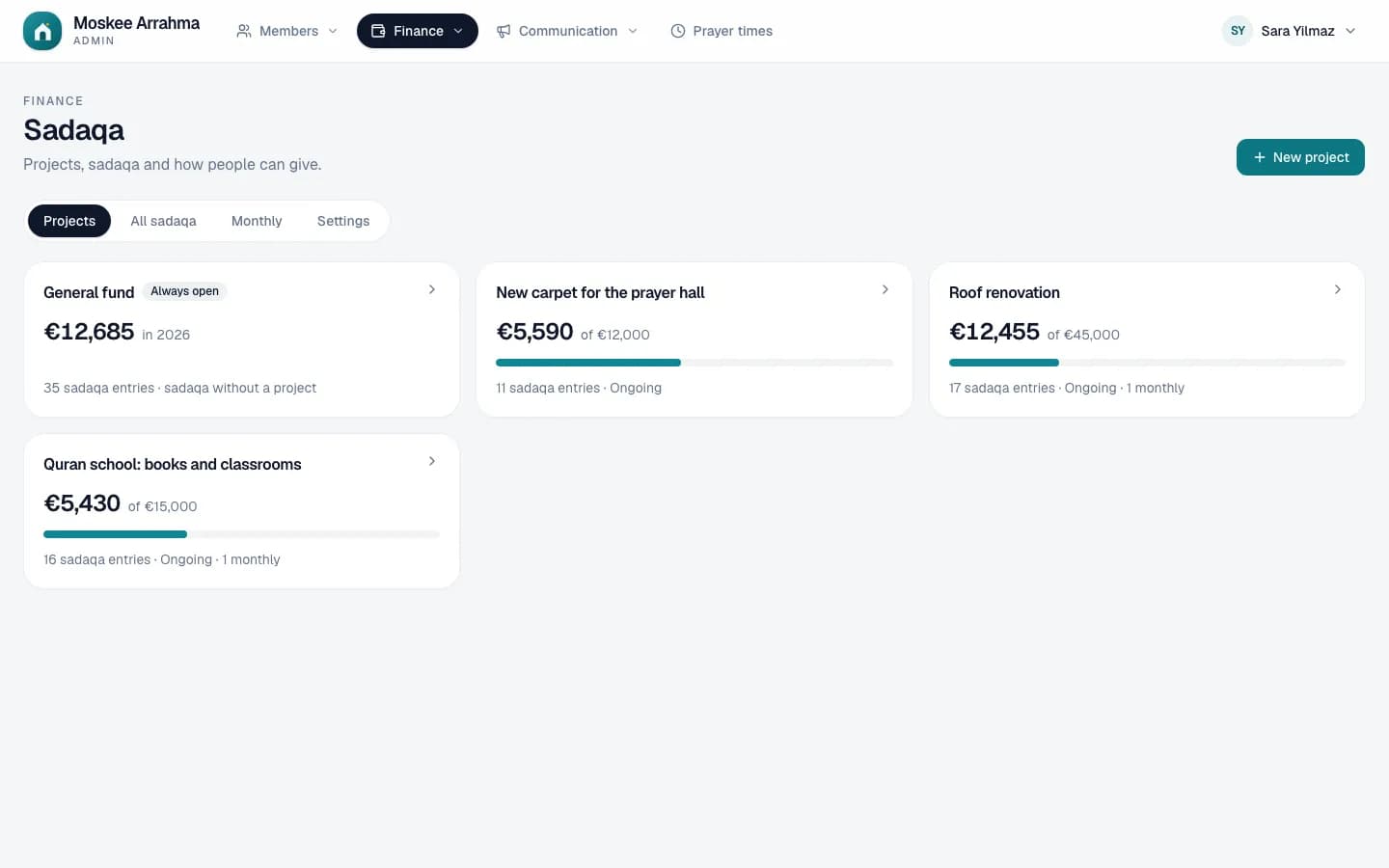
Give sadaqa the way that suits you
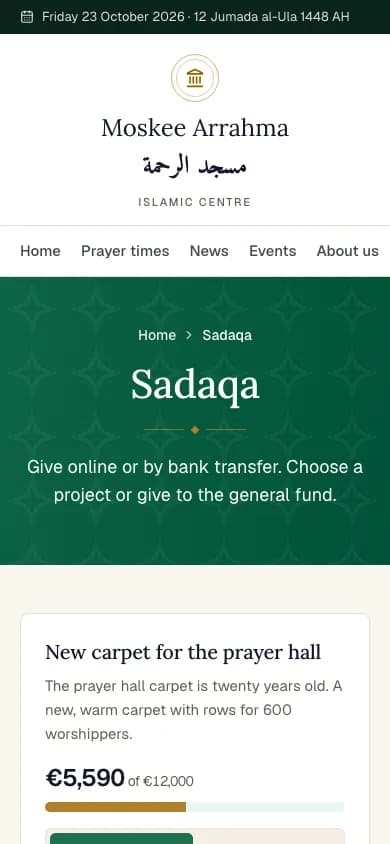
Put a project online, such as a new carpet or a renovation, with a target amount and a progress bar. Givers choose for themselves: online with Bancontact, every month, or with a bank transfer through the QR code in their banking app.
- You choose per mosque how people give: online, by bank transfer or both. On the website, the screens, the kiosk and in the app.
- A report per project with all the sadaqa, searchable and exportable, and an overview of who gives every month.
- You can also record sadaqa yourself, per member, by name, anonymously or as the total of a collection. It goes straight into the cash book.
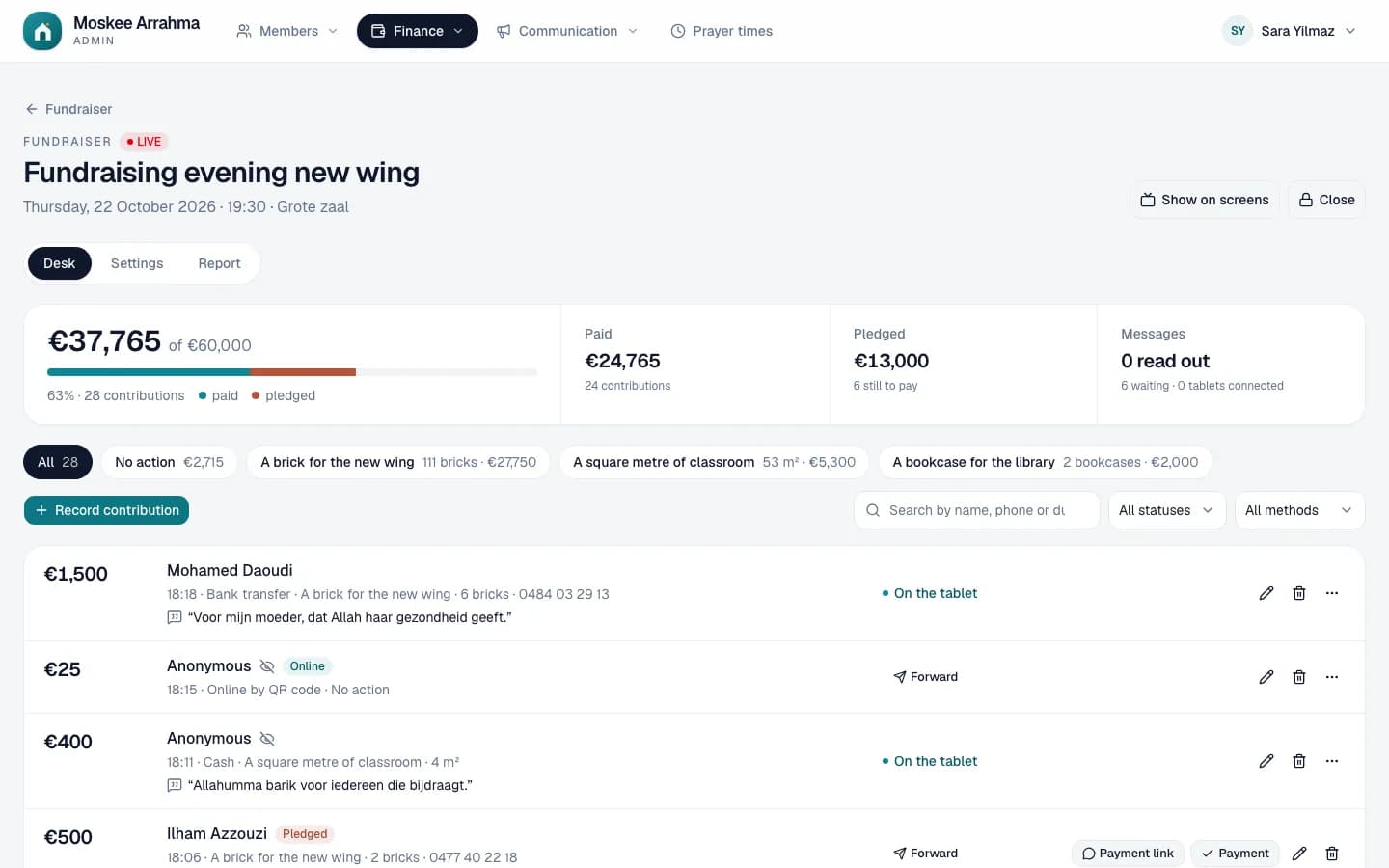
A fundraising evening, tracked live
For a fundraising evening or a campaign with its own goal. At the desk you record every contribution or pledge, the room follows the counter live on the TV, and anyone giving online scans the QR code.
- Contributions and pledges at the desk, with a dua or the choice not to read out the name. Part payments are added up until the amount is complete.
- A QR page of its own for giving online, and a payment link through WhatsApp for those who pay later.
- The counter with the progress on the TVs and the presenter's tablet. Afterwards a report and an export, and everything is in the cash book.
One message, everywhere at once
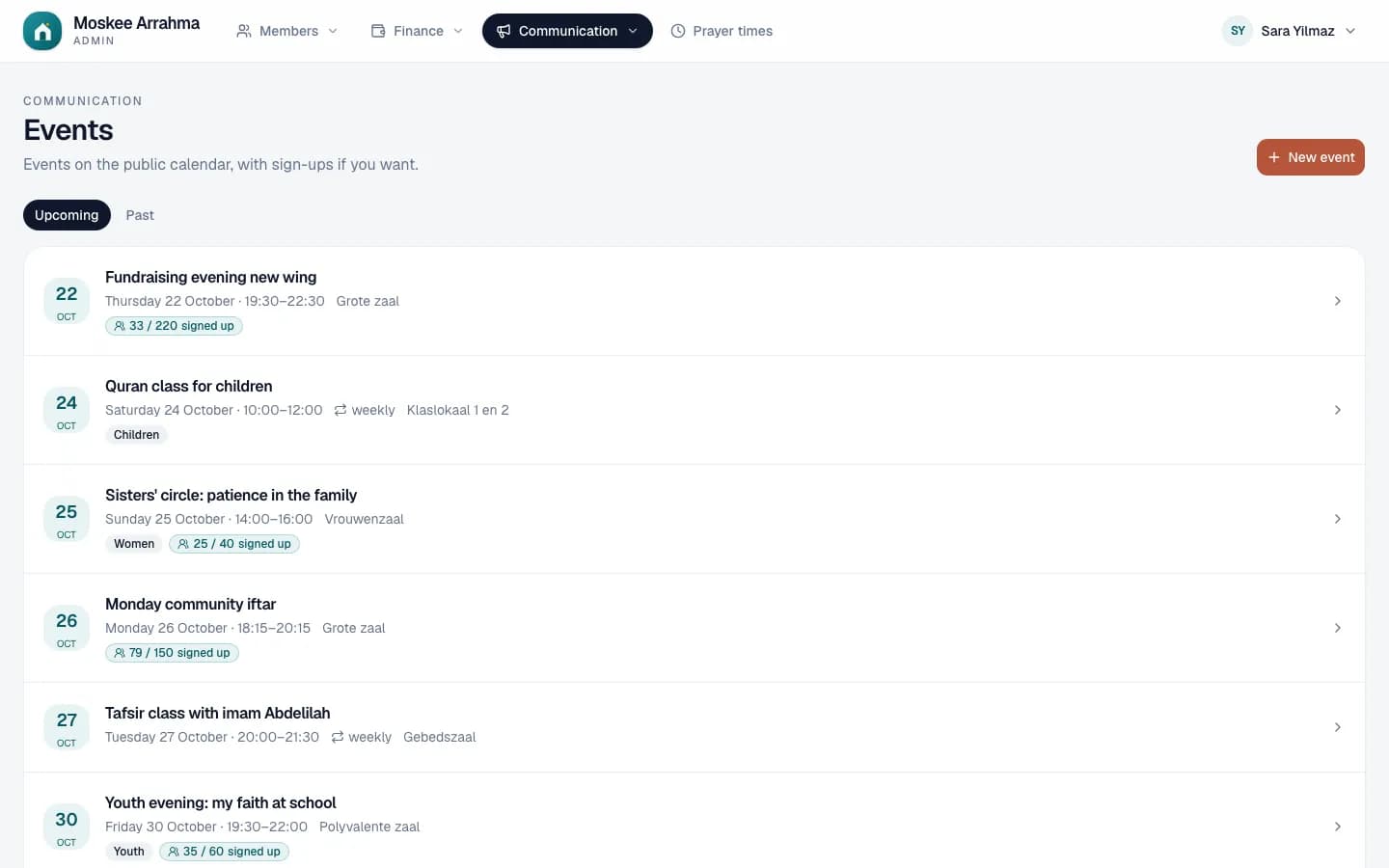
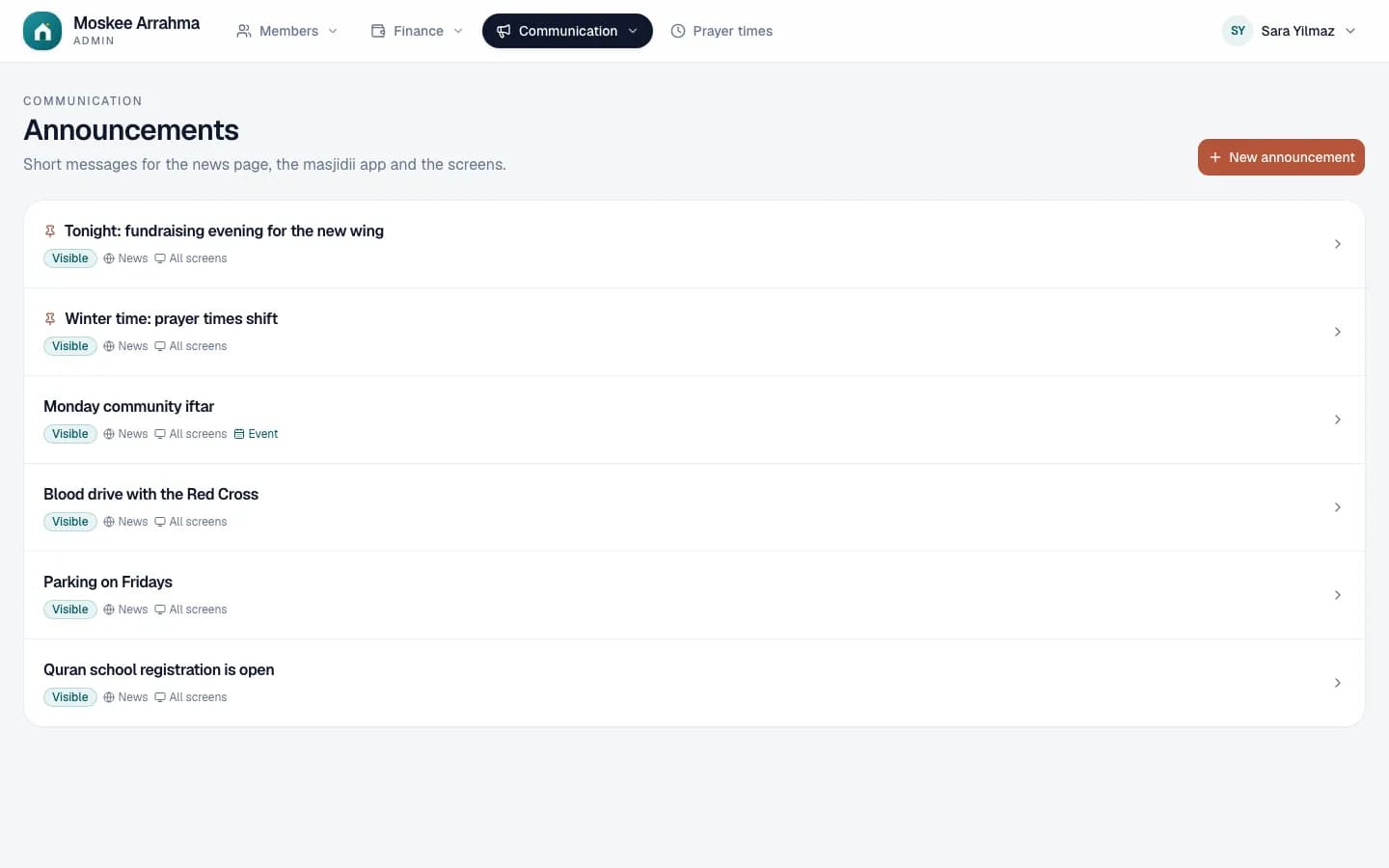
Write an announcement once and choose where it appears: on the website, on the screens in the mosque and in the app, with a notification on the phone of everyone who follows your mosque. Activities get a calendar with sign-ups.
- Announcements with an audience (everyone, youth, women…), an image, a period and pinning at the top.
- Activities public or internal, one-off or weekly. Sign up without an account, with a maximum number of places and a deadline.
- Every text in the languages your mosque chooses: Dutch, Arabic, French, Turkish or English.
A website of your own, without a web designer
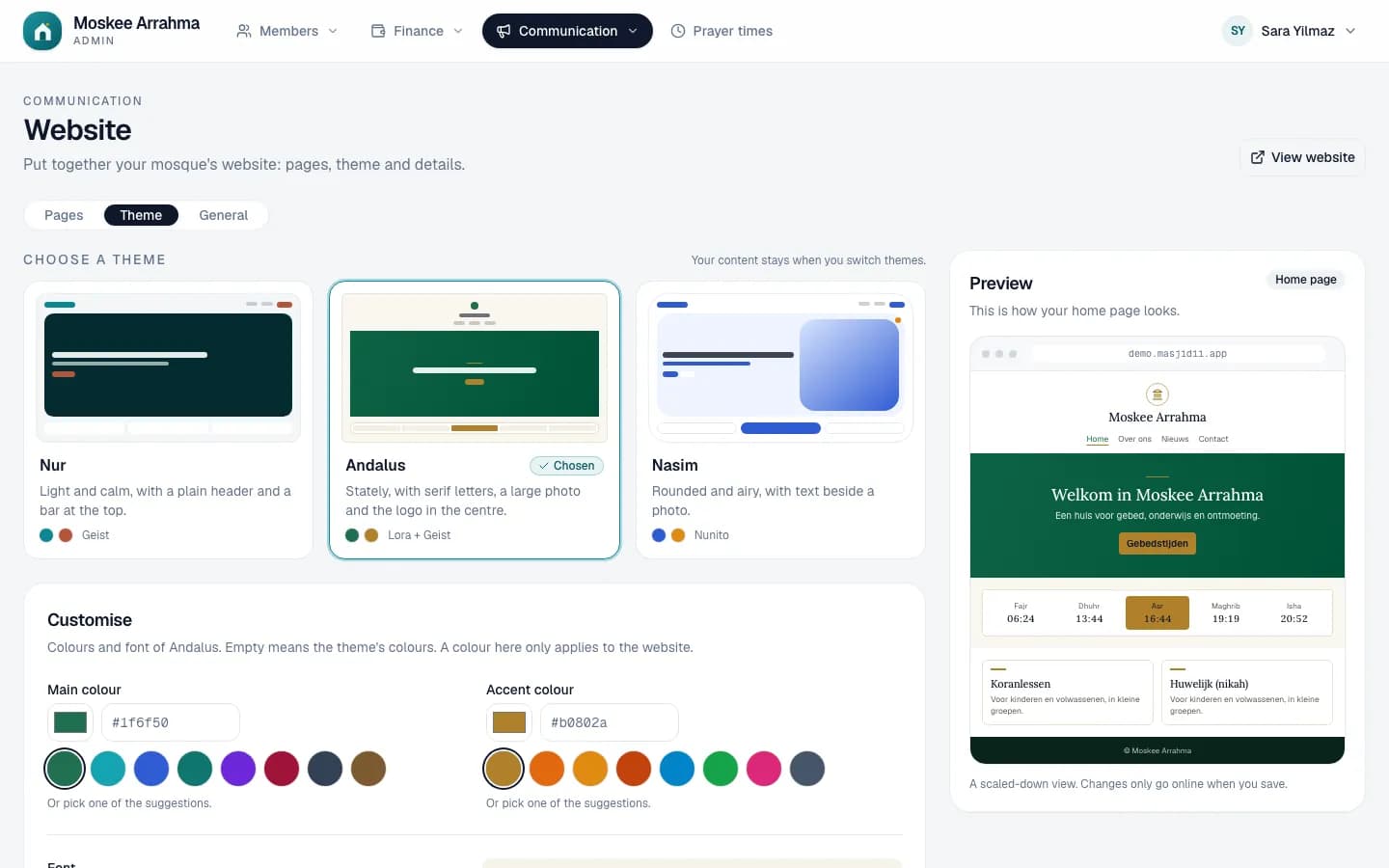
Every mosque gets a website of its own with today's prayer times, the news, the calendar and sadaqa. You pick a theme, build your pages with blocks, and everything you change in the admin is on it straight away.
- Three themes (Nur, Andalus and Nasim) in your mosque's colours and with its logo, just as easy to read on a phone as on a computer.
- Pages made of blocks: text, photos, video, a contact block with your social media and WhatsApp, and a bar at the top for an important notice.
- On <name>.masjidii.app or on your own domain name. Already have a website? Add the prayer times block to it.
What masjidii does for your mosque
Every module can be switched on or off on its own. Start with what is most urgent, usually the membership fees or the prayer times, and switch on the rest when you are ready. Switching a module off never deletes data.
Members
One member register with member numbers, Arabic names and contact details. Your Excel list is imported in one go.
Membership
Per month or per year, cash, Bancontact, bank transfer or online. You always see who recorded what.
Online payments
Bancontact and card through your own Mollie account, also every month by direct debit (SEPA).
Cash book
Cash and bank without duplicate work: membership fees, sadaqa and fundraisers are booked automatically.
Sadaqa
Projects with a goal. Give online or with a QR code, every month or once.
Fundraiser
A fundraising evening with its own goal: contributions and pledges at the desk, live on the TV.
Kiosk
A tablet at the entrance where members pay their membership fee and visitors give sadaqa.
Prayer times
Adhan, iqama and Jumu'ah imported from Mawaqit or a CSV file, or calculated.
Screens
Every TV in the mosque with its own playlist, scheduled around the prayers.
Messages
Messages from the administration to the tablet of the speaker or presenter.
Capacity
Volunteers set how full each room is, and the TVs show it right away.
Announcements
One message for the website, the screens and the app, in the languages of your mosque.
Events
Classes and activities in a calendar, with sign-ups and a maximum number of places.
Volunteers
Teams, regular shifts and a weekly roster, with a reminder through WhatsApp.
Website
A website of your own with themes and pages, also on your own domain name.
The app
Prayer times, news, membership and sadaqa on your members' phones.
Languages
The admin, the website, the screens and the kiosk in four languages, also right to left in Arabic.
Settings
Your logo, your colours and your address. You switch modules on or off yourself.
How to start
Nothing to install and no server: masjidii runs online. Your board works in the browser, on a computer, tablet or phone.
- 1
We set up your mosque
Your mosque gets an address of its own (<name>.masjidii.app), the modules you choose and a login for the administrator. You import your member list from Excel with Import, including the payments of previous years. We are happy to do it together with you.
- 2
Prayer times, screens and payments
Pick your mosque on Mawaqit and the calendar with iqama and Jumu'ah is in. Open tv.masjidii.app on the TV and enter the code under Screens. To take online payments, connect your Mollie account.
- 3
Your board gets to work
Create an account for every board member, with only the modules they manage: the treasurer the membership fees and the cash book, the imam the prayer times. Everyone picks the language of the admin.
Your members' data, well protected
A member list and payments are sensitive data. masjidii is built so that everyone only sees what they need.
Permissions per module
Data belongs to one mosque, and the administrator decides who sees what. Someone who only manages the prayer times sees no member list and no amounts.
The money stays with the mosque
Online payments go through the mosque's own Mollie account. masjidii stores no card details and never touches the money.
Data kept to a minimum
The screens never show amounts per member. Someone who looks up their membership fee in the app or at the kiosk sees no address, phone number or payment history.
In line with the GDPR
The mosque stays responsible for its data; masjidii processes it on its behalf. It is all in our privacy policy.
A demo for your mosque
Tell us which modules you want to use. We will arrange a demo and show how your member list, your prayer times and your screens get set up.